

HOW TO PROPERLY CHOOSE A MONITOR FOR GAMING AND WORK IN 2025
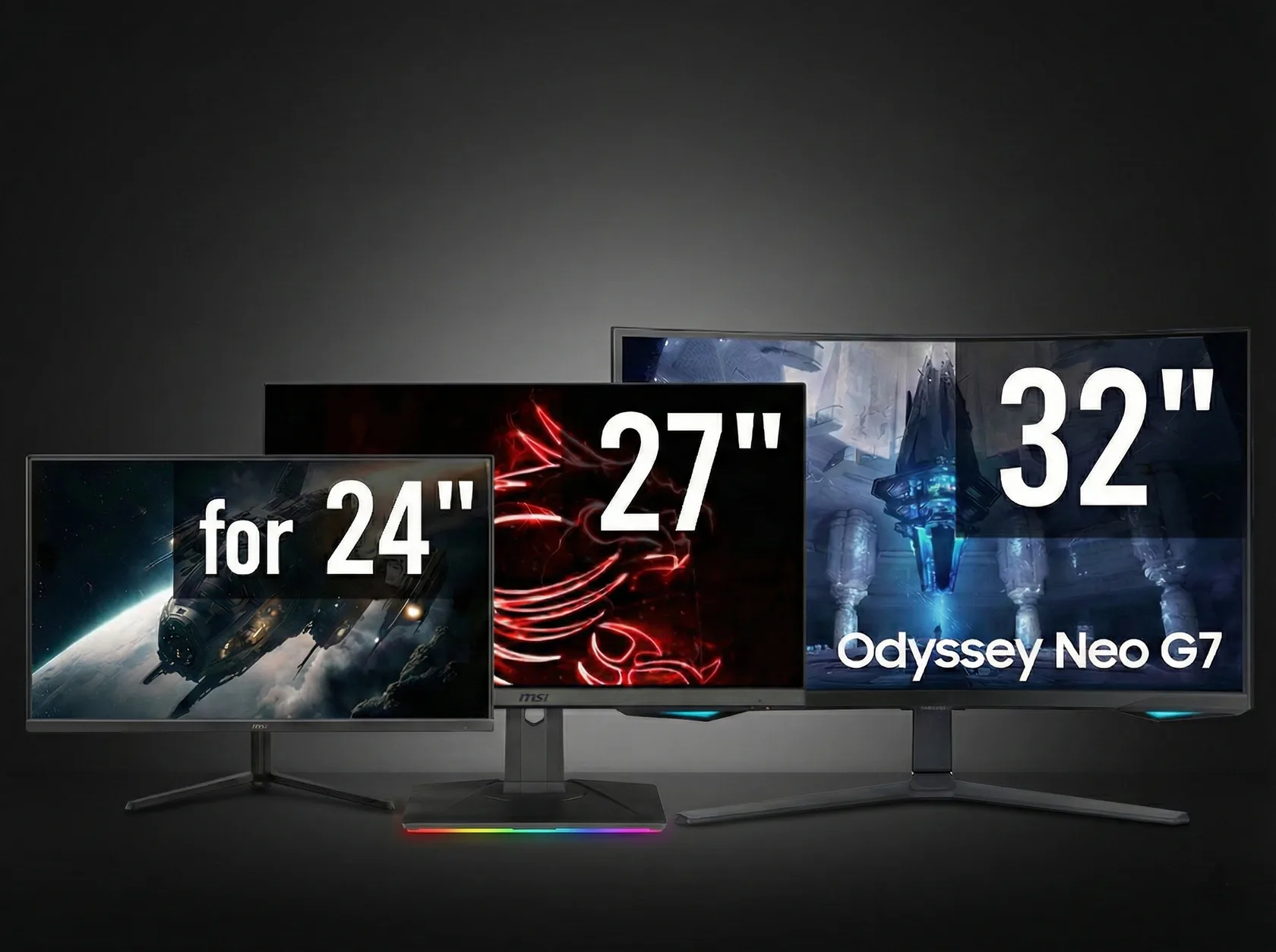
A monitor is 50% of the enjoyment of any PC. You can build a powerful computer, but if the monitor is weak, you simply won't see all the beauty, smoothness, and details.
In 2025, the choice became immense: 2K, 4K, IPS, OLED, 165 Hz, 240 Hz, 24–34 inches…
Let's figure out in simple terms, which monitor is right for you.
1. Size: 24", 27" or 34" — which is better?
✔ 24 inches
Suitable for:
- limited space
- competitions / esports
- streaming when a lot of space is needed for the interface
Pros: compactness, low price, high pixel density.
Cons: in 2025 it feels a bit small — it feels cramped.
Who is it suitable for?
Players in CS2, Valorant, Dota, if maximum focus is needed.
✔ 27 inches — the golden mean
The most versatile size.
Advantages:
- holds a lot of information
- ideal for 2K resolution
- comfortable for gaming, work, editing
- a base for any desktop
Who is it suitable for?
99% of users: gaming, work, design, editing, office — everything is excellent.
✔ 34 inches (ultrawide)
A monitor that truly changes the usage experience.
Pros:
- more space
- super comfort for editing/design
- in games, the field of view is wider
- replaces two 24-inch monitors
Cons:
- takes up more space
- in some games, FOV requires adjustment
Who is it suitable for?
Gamers, designers, programmers, editors.
Ideal for a “premium setup”.
2. Resolution: Full HD, 2K or 4K?
✔ Full HD (1080p)
An outdated option.
Okay for office work, but for gaming and modern PCs — a bit weak.
✔ 2K (1440p) — the best balance
The ideal resolution for 24–27" and even 34" monitors.
Advantages:
- clear picture
- does not overload the video card as much
- suitable for RTX 4060–5080
2K today is the standard for a good gaming setup.
✔ 4K — maximum quality
Only if:
- you have a powerful video card (RTX 5080–5090)
- maximum realism in movies and single-player games is needed
- you work with graphics, photos, videos
Cons:
High requirements for GPU. In online games, 4K is often useless — high refresh rate is better.
3. Refresh Rate: why 60 Hz is already outdated
✔ 60 Hz
Only for office use. In 2025, it’s not suitable for gaming.
✔ 144 Hz
The baseline for all modern gaming monitors.
Advantages:
- smooth motion
- better control
- less lag
✔ 165–180 Hz
The optimal choice for 2025.
Almost all games feel noticeably smoother.
✔ 240 Hz and higher
For esports: CS2, Valorant, Apex.
Cons: expensive, but the smoothness is out of this world.
Rule:
It’s better to buy a 2K 165 Hz than a 4K 60 Hz.
4. Types of Panels: IPS, VA or OLED?
✔ IPS — the most versatile option
Best colors + good response + wide viewing angles.
Suitable for:
- gaming
- work
- design
- movies
IPS is the most reasonable choice in 2025.
✔ VA — a compromise
Pros:
- high contrast
Cons:
- weak viewing angles
- sometimes “smudges” in motion
Suitable for movies or inexpensive large monitors.
✔ OLED — premium
Perfect picture:
deep black, instant response, best color reproduction.
Cons:
- higher price
- risk of burn-in with static images (not critical, but it should be considered)
OLED is suitable for those who want the maximum visual experience.
5. Curved or Flat?
✔ Curved
Better for:
- gaming
- movies
- 34" monitors
- full immersion
✔ Flat
Better for:
- design
- editing
- office
- precise work
6. What monitor to choose for gaming
✔ Shooters (CS2, Valorant, PUBG)
- 24–27"
- 1080p or 1440p
- 165–240 Hz
- IPS
✔ AAA games (Cyberpunk, Witcher, Hogwarts)
- 27–34"
- 1440p or 4K
- 120–165 Hz
- IPS or OLED
✔ Racing, simulators
- 34" ultrawide
- 2K
- 165 Hz
- curved
7. How to choose a monitor for work
✔ Office, education
- 24–27"
- 1080p or 1440p
- IPS
✔ Design, editing, color work
- 27–34"
- 1440p or 4K
- IPS or OLED
- high brightness
- good calibration
✔ Programming
- 27–34"
- 1440p
- IPS
- lots of space for windows
8. Final Recommendations
If you don't want to overthink, here’s the simplest choice:
- Best universal monitor:
- 27", 2K, 165 Hz, IPS
- Best gaming monitor:
- 27–34", 2K, 165–240 Hz, IPS or OLED
- Best premium option:
- 34", 2K, 165–240 Hz, OLED, curved
- Best budget option:
- 27", IPS, 1080p, 144 Hz